
Source: SPARSH Portal
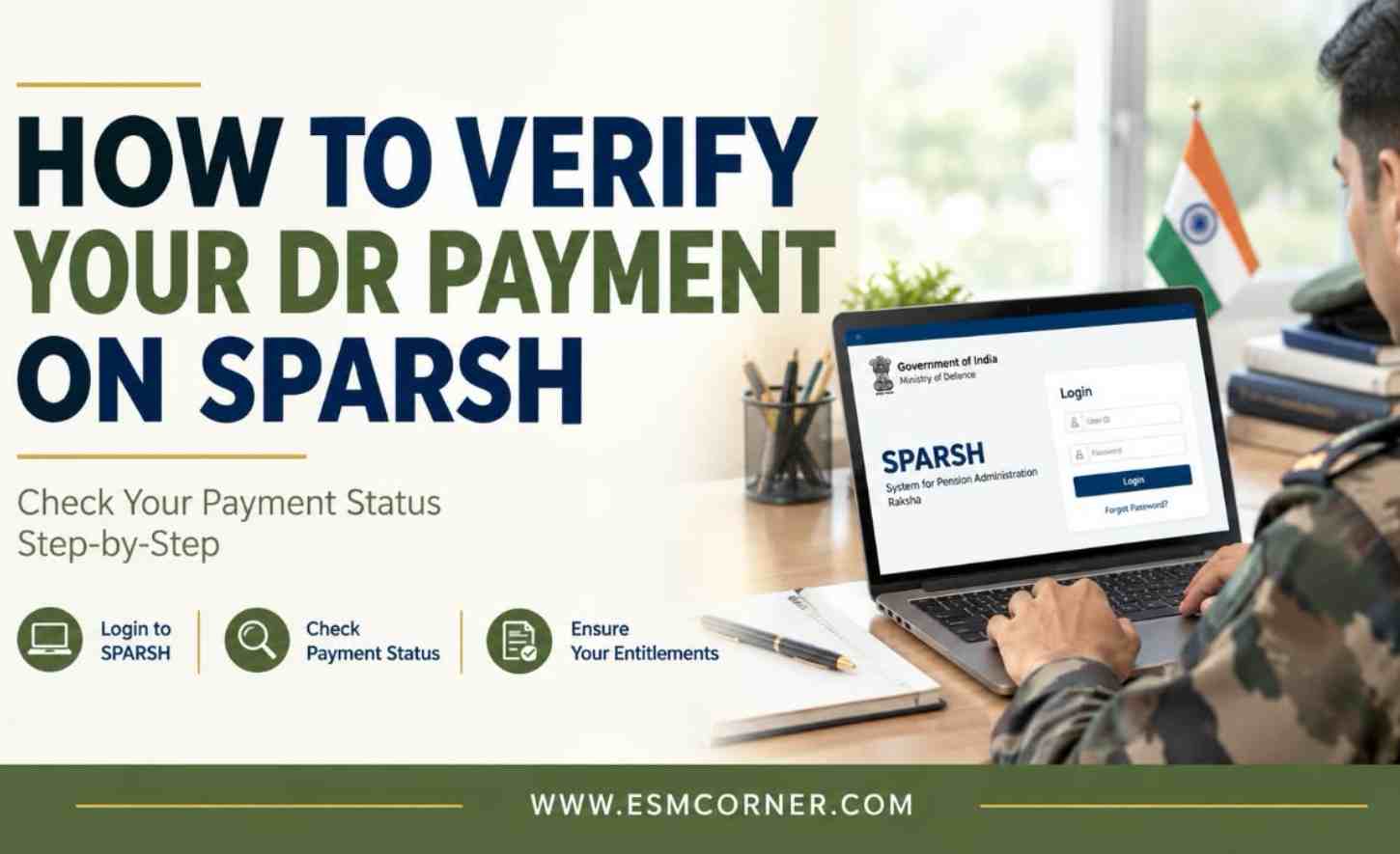
Dearness Relief rates change every six months. It is easy to lose track of whether your pension shows the correct rate. The good news is this. You do not need to guess. SPARSH gives you a direct way to check your DR payment yourself. You do not need to wait for a bank statement or call anyone. This guide explains exactly where you need to check.
Why It’s Worth Checking Your DR Payment Yourself
DR changes apply from a set date. But they are only officially announced, and start showing in your pension, a few months later. Any arrears for the gap get paid then too. Between rate changes, PPO corrections, and identity checks, a few things can go wrong. Checking your own pension slip now and then helps you catch a mistake early. This is better than finding out months later.
Step 1: SPARSH Account Mein Login Karein
Sabse pehle SPARSH ke official portal par jaakar apne account mein sign in karein. Login ke liye apne PPO number ko User ID ke roop mein enter karein. Iske saath apna password darj karein aur Aadhaar se linked mobile number par prapt OTP ke madhyam se verification complete karein..
Step 2: Open the Pension Slips Section
After signing in, go to your Pensioner Dashboard and find the “Pension Slips” option. Click on it to open the section, then choose the month for which you want to view the details. SPARSH generates a pension slip for each month in which your pension is credited. This section is the appropriate place to verify the actual DR payment received.
Step 3: Check the DR Line Item and Rate
Your pension slip splits your pension into parts. These usually include basic pension, Dearness Relief, and other allowances. Look for the DR percentage used that month. Also look for the DR amount in rupees. This should equal the DR percentage applied to your basic pension. Check if the slip shows the current official rate. For example, if the rate moved from 60% to a new figure, older slips should still show the old rate. Slips from the notification month onward should show the new rate, plus any arrears.
Step 4: Check the Maths
Here is a simple way to check your DR is correct. Take your basic pension shown on the slip. Multiply it by the DR percentage shown. Compare this to the DR rupee amount on the slip. These two numbers should match. Say your basic pension is Rs. 28,000, and the slip shows a 63% DR rate. The DR amount should read Rs. 17,640. If it shows something very different, this is worth looking into.
Step 5: Check for Arrears
In the month a new DR rate is officially announced, your slip should show two things. One is your regular monthly pension at the new rate. The other is a separate arrears line,
for the gap period. Was a DR change announced, but you do not see an arrears entry that month? This is worth flagging.
Step 6: Compare With Your PPO
Does the DR rupee amount look wrong, even after checking the percentage? The problem may be with your recorded basic pension, not the DR calculation. Your PPO, also on SPARSH, shows your approved basic pension. Compare this to the basic pension used on your pension slip. This can help you find where the mismatch is coming from.
What to Do If You Notice a Difference
Have you checked the percentage, the maths, and your basic pension figure? If something still does not add up, raise a payment grievance through your SPARSH account. This is usually the fastest way, since it stays inside the same system that manages your pension. You may also get in touch with your respective Record Office.This helps if the problem seems linked to your basic pension or PPO details. Or contact the PCDA(P) Defence Pension Call Centre or the SPARSH helpdesk on the portal.
Checklist Before You Raise a Grievance
Before you raise a grievance, check a few things. Have you logged in to SPARSH and opened the right month’s slip? Does the DR percentage match the current official rate for that month? Did you multiply basic pension by the DR percentage and match it to the DR amount shown? Did you check for an arrears line in the month a new rate was announced? Did you compare basic pension on the slip against your PPO? Avoid unofficial WhatsApp numbers or “helper” accounts claiming to fix SPARSH issues. Always use the grievance option inside your SPARSH account, or the official contact details on the portal.
Final Thoughts
A quick monthly check of your pension slip is the easiest way to catch a DR mistake early.
Stay updated on defence-related matters — join our WhatsApp group.
Frequently Asked Questions
Q1. Where exactly do I check my DR payment on SPARSH?
A1. Log in to your SPARSH account. Go to the Pensioner Dashboard. Open “Pension Slips” for the month you want to check. The slip shows your basic pension, DR percentage, and DR amount separately.
Q2. How do I know if my DR percentage is correct?
A2. Compare the DR percentage on your slip to the current official DR rate. Older slips, from before a rate change, should correctly show the old rate. Slips from the notification
month onward should show the new rate.
Q3. How do I check if my DR amount in rupees is calculated correctly?
A3. Multiply your basic pension, shown on the same slip, by the DR percentage. This should match the DR amount shown. If it does not, the issue may be in either the percentage used or your basic pension figure.
Q4. What if I don’t see arrears in the month a new DR rate was notified?
A4. This is worth flagging. In the notification month, your slip should show both the new pension rate and a separate arrears line. A missing arrears entry, when one is expected, is a reason to raise a grievance.
Q5. What should I do if I find a mismatch in my DR payment?
A5. Raise a payment grievance directly through your SPARSH account, since this is tracked in the same system as your pension. You can also contact your Record Office or the PCDA(P) Call Centre if needed.
Q6. Can I verify my basic pension figure too, not just the DR percentage?
A6. Yes. Your PPO, on SPARSH, shows your approved basic pension. Comparing this to the figure used in your DR calculation helps you find whether the mismatch is in the DR rate or the basic pension itself.
Q7. Is there an official way to get help if the SPARSH grievance option doesn’t resolve my issue?
A7. Yes. Use the official PCDA(P) Defence Pension Call Centre or the SPARSH helpdesk on the official portal. Avoid unofficial WhatsApp numbers claiming to offer SPARSH support.
For more articles like this, visit our SPARSH section.