

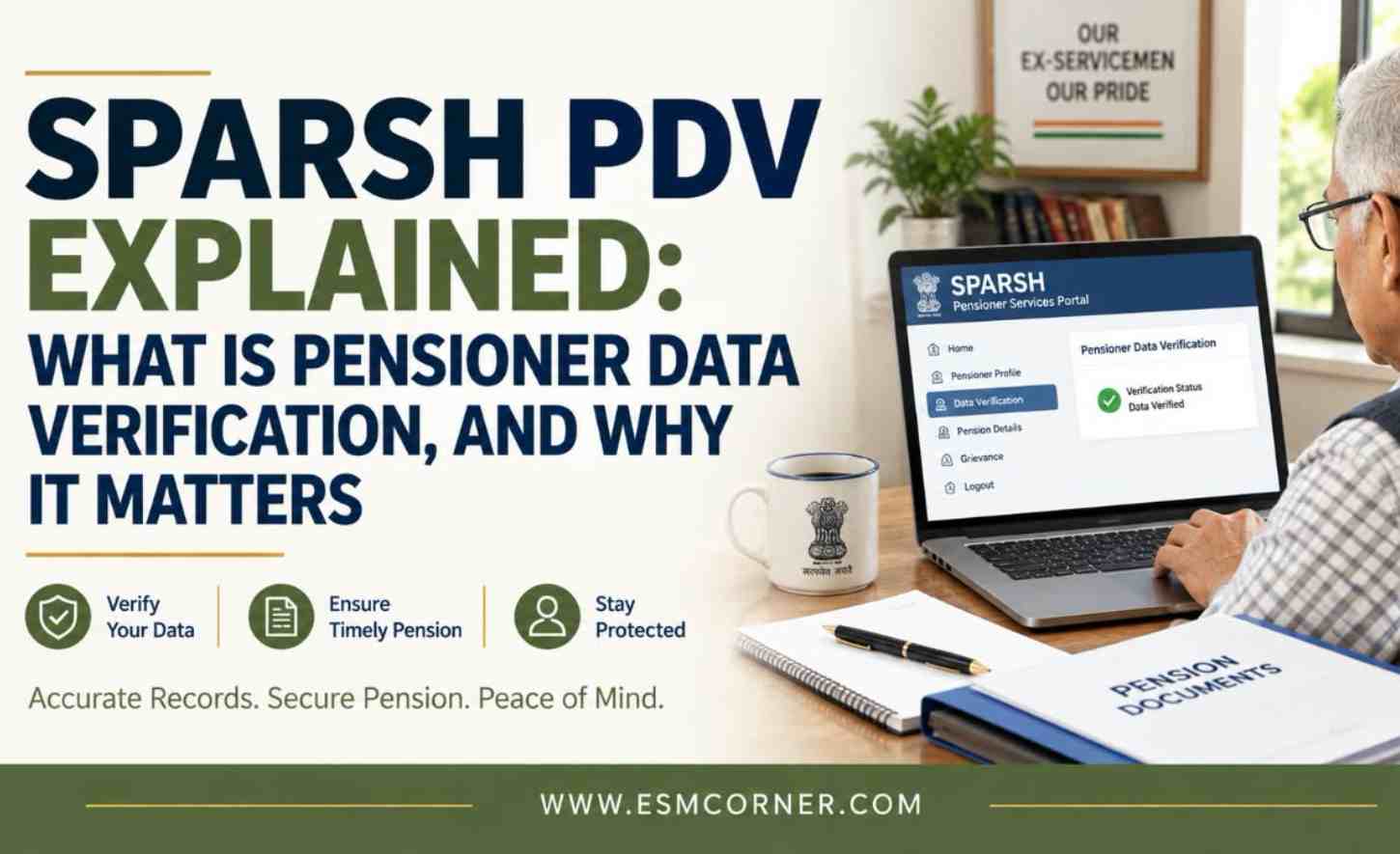
Source: SPARSH Portal
Have you recently retired or moved to SPARSH? Did you see the term PDV on your dashboard? You are not alone in wondering what it means. PDV stands for Pensioner Data Verification. It is one of the most important steps in getting your pension approved correctly. It is also one of the most commonly missed steps. This guide explains what it is, why it exists, and what happens if you skip it.
What Is PDV?
PDV is the step where you personally check the data your Record Office and Pay Accounts Office have submitted about you. This happens before your pension is finally approved. Think of it like this. SPARSH is saying, here is everything we have on file for you. Please confirm it is correct before we lock it in. You are asked to check personal details. This includes your name, mobile number, address, Aadhaar number, and PAN. You also check service details. This includes rank, regimental number, and years of service. You check dependent details too. This includes the name, relationship, Aadhaar, and PAN of your spouse, children, or parents. If it applies to you, you also check medical or disability details.
Why PDV Exists
Before SPARSH, small errors caused big problems. A misspelled name, a wrong date of birth, or an old bank account often only came to light after payments had started. This led to delays and repeated correction requests. PDV flips this around. It asks you to catch errors before your Pension Payment Order is created, not after. SPARSH calls this goal “first-time correct data.” The idea is to get it right at the source, instead of fixing it later.
Who Needs to Complete PDV
PDV mainly applies to service pensioners when their pension is being processed. This is usually new retirees. It can also come up for existing pensioners whose records are being reviewed or corrected. If PDV applies to you, you will get a notice by SMS and email.
Step-by-Step: How to Complete PDV
Log in to SPARSH using the username and default password given to you. This is usually sent by SMS or email when your claim starts. Go to the PDV section. This is sometimes found under Services, then Pensioner Data Verification, also called “Verify Pension Claim.” Check each section carefully. This covers personal details, service details, dependent details, and medical details if they apply. Is everything correct? Then confirm the data. Agree to the terms and conditions. Provide any consents asked for. Did
you spot a mistake? Mark that field as incorrect. Give the correct details. Upload supporting documents under the “Documents” tab. This could be a certificate or ID proof. Submit your verification. Download the PDF copy for your own records. You can monitor your request later by selecting the “Track Status” menu.
The Deadline You Shouldn’t Miss
Here is the part that trips people up. PDV must be completed within a strict time window after you are notified. This is commonly 15 days for the first verification step. It can be as little as 5 days for responding to a specific error notice. The exact number can change based on your category and notice. Always check the deadline in your own SMS or email notice. Do not assume a fixed number.
What Happens If You Miss the Deadline
Here is something many pensioners do not know. If you do not complete PDV in time, the system does not wait for you. In some cases, your data gets automatically marked as verified. This means whatever your Record Office submitted gets locked in, correct or not. In other cases, your claim moves forward anyway, for PPO approval, without your personal confirmation. Either way, the result is the same. Skipping PDV does not stop your pension. But you lose your chance to catch and fix errors early. This can cause payment delays and correction problems later, the exact thing PDV was designed to prevent.
If You Find a Discrepancy
Found something wrong in your PDV data? You are not required to accept it. Mark the field as incorrect during the PDV process, and upload supporting documents. Has PDV already lapsed, with your data auto-verified? Then raise a service request through SPARSH for a data correction instead. This request goes through review by the Defence Accounts Department. If it is found valid, it gets forwarded for formal correction. This then shows in your final pension record.
Why This Matters More Than It Seems
PDV is not just a formality. The data checked here directly decides your PPO and pension benefits. A wrong Aadhaar number can cause your Digital Life Certificate to fail later. A wrong PAN can lead to incorrect tax deduction on your pension. Wrong dependent details can cause problems later, when a family pension claim is needed. Taking the time to check PDV carefully, the first time, saves a lot of trouble later.
Final Thoughts
Treat PDV as a real review, not something to click through quickly. This is the best way to avoid correction headaches later.
Stay updated on defence-related matters — join our WhatsApp group.
Frequently Asked Questions
Q1. What does PDV mean on SPARSH?
A1. PDV stands for Pensioner Data Verification. It is the process of personally confirming your personal, service, dependent, and medical details are correct, before your pension is finally approved.
Q2. Who needs to complete PDV?
A2. PDV mainly applies to service pensioners when their pension is being processed, usually new retirees. It can also apply when existing records are being reviewed or corrected.
Q3. How will I know if I need to complete PDV?
A3. You will get a notice by SMS and email, sent to your registered mobile number and email address. The notice will state your deadline for completing the verification.
Q4. What is the deadline to complete PDV?
A4. Deadlines are commonly around 15 days for the first verification. They can be as little as 5 days for responding to a specific error. The exact number can vary, so always check your own notice.
Q5. What happens if I miss the PDV deadline?
A5. Your data may get automatically marked as verified, or your claim may move forward without your confirmation. Either way, you lose the chance to catch and fix errors before they are locked into your record.
Q6. Can I still fix an error after PDV has lapsed?
A6. Yes, but it takes more work. You would need to raise a separate service request through SPARSH for a data correction. This then goes through review by the Defence Accounts Department.
Q7. Why does an incorrect Aadhaar or PAN number in PDV matter?
A7. A wrong Aadhaar number can cause your Digital Life Certificate to fail later. A wrong PAN can lead to incorrect tax deduction on your pension. Both are easier to fix during PDV than after your PPO is finalised.
For more articles like this, visit our SPARSH section.






















Name of my only unmarried child (Miss Chandrani Sarkar) has not been mentioned in my PPO. Please advise how to incorporate her name in PPO. Thanks
Sub UK Sarkar(Retd)
Dear sir ,
In my mother’s EPPO there is an typing mistake by PCDA only single word in READ & FOR but I m struggling to ammend an word from PCDA since July 26. No response from PCDA since 4 ye6ty.